Honalee Media
An Afternoon with Colin Baker (Livestream)
Live stream An Afternoon with Colin Baker.
Watch from the comfort of your own device.
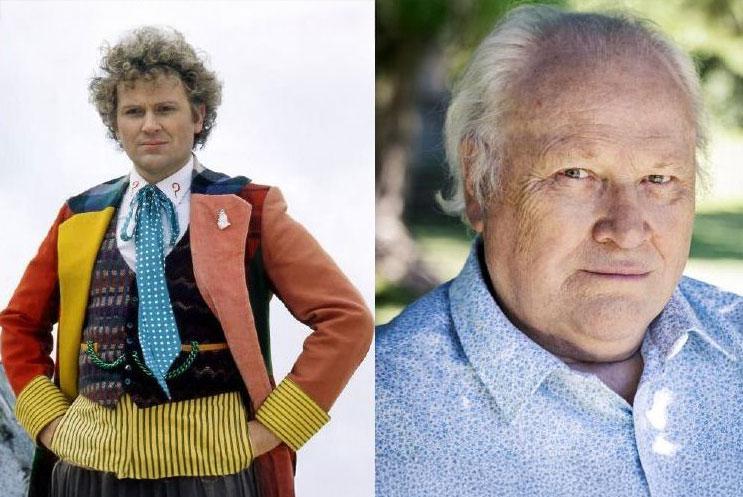
Join us as one of the country's most respected, experienced and popular actors takes us behind the scenes of a his life in television, theatre and radio – tales from the dressing room, studio, and beyond – from The Brothers to Doctor Who, Inspector Morse to I'm A Celebrity, and much more!
Ahead of his evening performance in A Christmas Carol, star of stage and screen Colin Baker – best known for his starring roles as the Sixth Doctor Who and Paul Merroney in The Brothers – will be on stage for an afternoon of anecdotes and memories, nostalgia and gossip, sharing his thoughts about life, the universe and everything – and taking part in an audience Q&A too! (Please note, questions will be taken from the live theatre audience only).
After a childhood growing up in the north-west, Colin studied at LAMDA and then leapt headlong into a busy career that saw him quickly gaining television fame as both the most hated man on television in The Brothers during the 1970s, and one of the most loved characters during the 1980s, starring as Doctor Who – a role he still plays in radio plays today!
The intervening years have seen Colin star in countless theatre productions – among them, The Mousetrap, Kind Hearts And Coronets, HMS Pinafore and Privates On Parade – plus, on screen, War and Peace, Casualty, Jonathan Creek, Sunburn and Emmerdale, to name but a few.
What was it like stepping into Peter Davison’s shoes as Doctor Who?
How did he cope in the I’m A Celebrity jungle?
And which famous names have been among the most enjoyable to work with?
An Afternoon With Colin Baker promises to be a fascinating journey behind the scenes of a life on stage, screen, and much more besides!
FAQs
How can I watch the livestream?
Our livestreams will be broadcast via TicketCo. Livestreams can be viewed on your desktop computer, laptop, phone, mobile or tablet using your web browser.
There are also options to view the stream using Google Chromecast, Apple TV, Android TV and Amazon Fire TV.
How do I watch the broadcast on my computer or laptop?
Find the email from TicketCo that you received when you bought your ticket. Click on the play button, and this will open a new tab in your browser where you can view the event. Enjoy the show!
Alternatively, head to ticketco.tv or ticketco.events/stream and enter your 5 letter code into the ID box. Your code can be found on your tickets. If your ID is recognised, you will granted access to the online event. Enjoy!
If you are viewing on an Android mobile device (your phone or tablet), please open the link in Google Chrome. We do not recommend using the Samsung native web browser. We are working to improve compatibility with the Samsung browser, but in the meanwhile, we kindly ask that you use another browser.
How do I watch the broadcast on my TV?
TicketCo Media Services app is compatible with the following:
Apple TV - you will need tvOS 13.0 or higher
Android TV - you will need version 7.0 or higher
Amazon Fire TV/Firestick
Go to your app store, and search up "TicketCo TV". Download and open the app. You will be asked to input your 5 letter reference code, and once correctly inputted, you will be directed to the broadcast.
Chromecast - 2nd generation or newer
Open the Chrome browser on your Android or Windows device, or on your computer, and select the casting icon in the video player. Note that you cannot cast from web browsers on iOS devices due to a limitation by Google.
HDMI linked to your computer
You can also open up the link to the broadcast on your computer or laptop (as described above), and then use an HDMI cable to view the show on your TV.

Calendar
Discover our family
We involve up to 140,000 people annually in cultural activities at the heart of the community. Find out all the ways you can become part of our family.
Support us